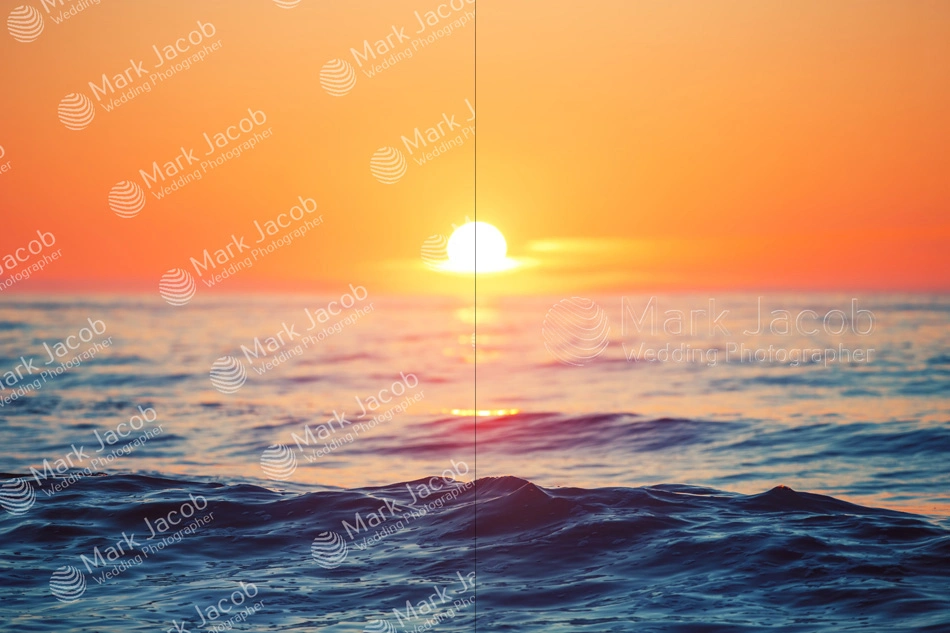
Filigranarea videoclipurilor: Protecție rapidă și fiabilă a fișierelor dumneavoastră
Add watermark to video using the Visual Watermark app. Download the program to your computer for free and install it in a few minutes. Work with dozens of videos at the same time. Create unique watermarks and save them for your future projects. Add your logo or text to a video clip. We offer powerful editing tools. You can create a unique watermark that will not distract attention from the contents of your video. Experiment with colors, fonts, and effects. Have some fun while making sure that your videos are protected!
De ce ar trebui să alegeți aplicația noastră de filigranare video
Cu Visual Watermark pentru videoclipuri, nu depindeți de accesul la internet. No need to wait long for the video to upload onto a website. The internet speed won’t affect your work. No need to worry that there is no network connection. Once you start the program, you can upload one or more videos for watermarking. Use the app when you are in the office, on vacation or out for a walk.
Download the file to install on your device, run the video watermark app, and get started. We have installation files:
Pentru Windows 7, 8, 10, 11.
Pentru Mac OS X Mountain Lion și versiuni ulterioare.
Datele dumneavoastră sunt în deplină siguranță! Since you don’t upload your content over the Internet, there's no risk of someone stealing your files. And also, they are not stored in the program’s system.
Ne pasă de confidențialitatea dumneavoastră. Our Video Watermark app does not collect data from your device. It does not install third-party trackers that can harm you. We value transparency and are always on your side.
Programul pune filigran pe videoclipuri folosind codificarea hardware. Therefore, rapid processing is guaranteed. Our application does not use your device's processor, but a graphics card, instead. Thanks to this, the processing speed won’t decrease. You can continue to use your computer while the app is adding a watermark to your videos.
In our program, you can add a logo or text as your watermark and edit them. We offer 900+ fonts, 66 effects, and 60 watermark logo examples. We have a variety of settings: change color, increase/decrease transparency, and others. Use your imagination and create a unique watermark that will fit into your video perfectly.
You can save the watermark template and use it on other videos. This is very handy if you need to work with video on a regular basis.
Create a watermark with any text: your name, brand name. Choose from 926 font options and place the text in the desired part of the video or fill the screen
Adăugați filigrane cu logo
Design a watermark with your company logo. Upload logo in formats: JPEG, BMP, PNG, GIF, TIFF. Our program has a background removal function.
Adăugați efecte filigranelor
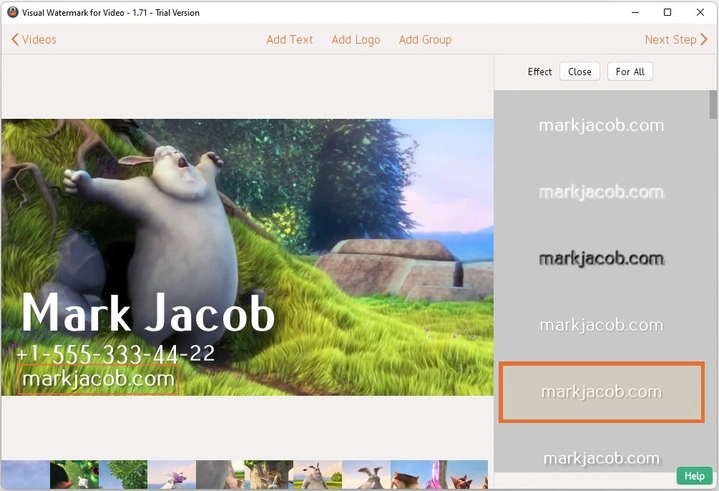
Apply effects to your watermarks. There are 66 cool effects in our collection to make your watermark stand out against a dark or light background.
Suport pentru formate multiple
Lucrați cu videoclipurile dumneavoastră în formate populare: MOV, MP4, AVI, MKV și codec-uri: H.263, H.264, H.265.
Filigranarea videoclipurilor în lot
Add a watermark to multiple videos at once. Our video watermark app will process everything at the same time.
Redenumiți videoclipurile
When saving, you can write a new file name. So you will not confuse the original file with watermarked copy.
Adăugați o desemnare specială
You can add special items from the collection: copyright sign, number, file name, year, and more. This is easy with Visual Watermark for Videos.
Adăugați filigrane verticale și rotite
Change the position of the text or logo as you like. Rotate your watermark in any direction - the function is designed for 360°.
Puneți filigran pe videoclipurile dumneavoastră gratuit
Our Video Watermark app is available to everyone. Work in the free version at a convenient time. We don't have intrusive ads or spam. Citiți despre versiunea plătită aici.
Repetați filigranul pe tot parcursul videoclipului
Watermark is automatically placed on the full video - from beginning to end, to fully protect it from copyright infringement.
Schimbați transparența filigranului
Personalizați transparența textului/logoului. Faceți-l mai mult sau mai puțin vizibil.
Instalați pe orice dispozitiv
Our program works on Windows and MacBook computers. Supports high resolution Retina. One license is for a limited number of computers.
Cum să utilizați Visual Watermark pentru videoclipuri
Cu aplicația noastră de filigranare video, puteți crea și adăuga un filigran videoclipului dumneavoastră în doar cinci pași:
Pasul #1. Install the Visual Watermark for Videos application on your computer. Download the installation files here.
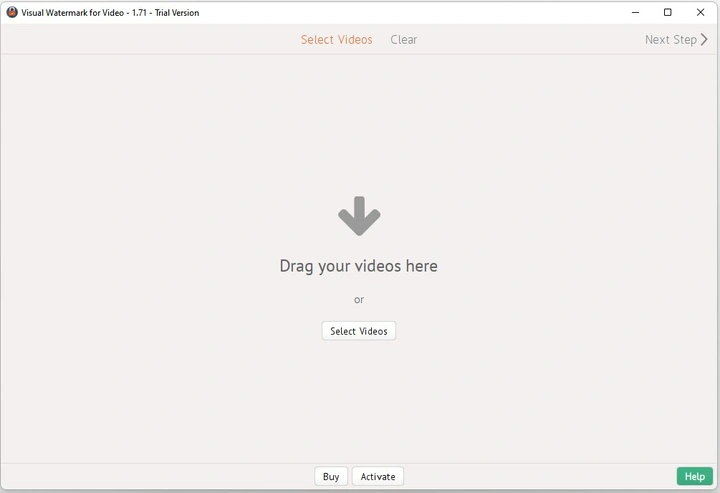
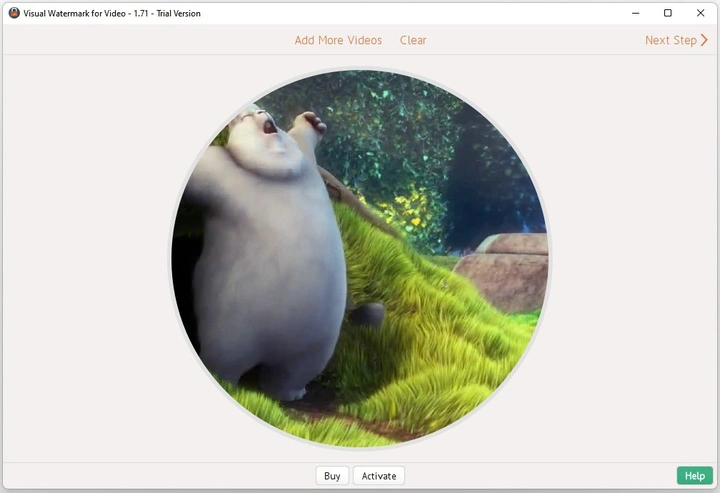
Pasul #2. Upload your videos to the program or drag and drop them from a folder on your computer. If you accidentally uploaded an extra video, delete it using the “Clear” button. Click “Next” and proceed to the next step.
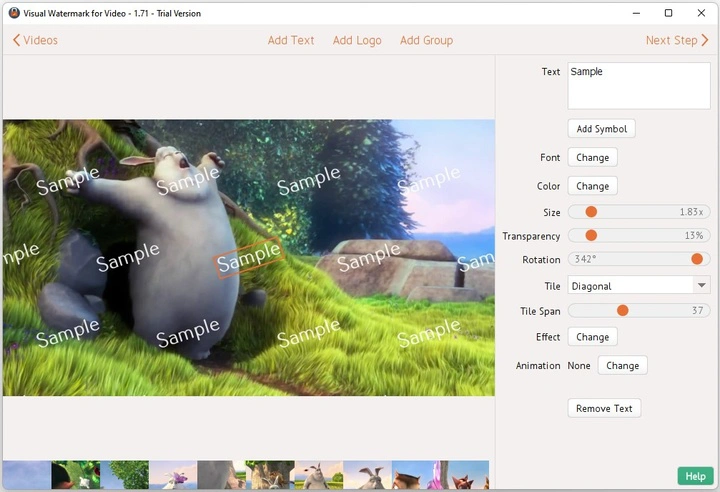
Pasul #3. Create a personalized watermark. You have the following options:
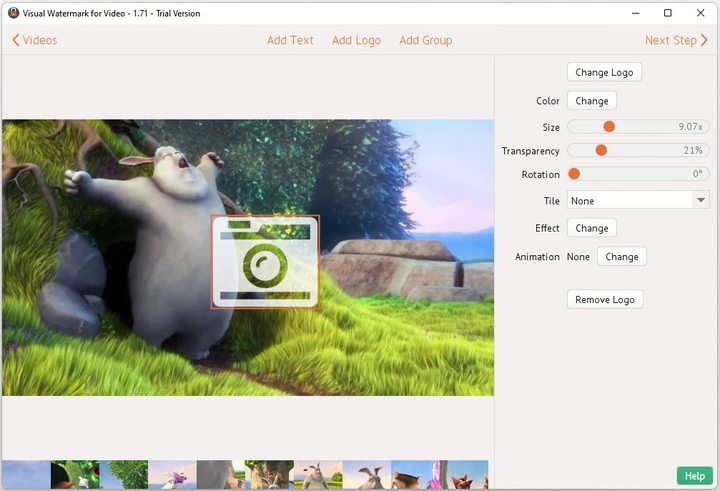
Write what your watermark will say. Change the font, color, size, transparency level, and rotation angle. Select one of two Tile types, if you want to fill your frame with repeated watermarks. Change the spacing between strings of text. Add effects. Set animation if needed.
Încărcați logoul.
Upload your company logo file from your computer. Or choose an icon from our gallery of over 50 different themed elements.
If your file does not have a transparent background, you can remove it in our video watermark app. Just click the "Remove Background" button. There are also tools for editing your watermark: change color, size, rotation, transparency, effect, position, and animation.
Adăugați un grup din galeria programului.
We have templates with a group of elements that you can use as you wish. For example, you can choose a group with a logo, brand name, and a short description. Wedding videographers often use these watermarks to promote their company and protect copyrights.
Pasul #4. Check out how your watermark looks. Click “Next” and select “Preview.” If you've worked on multiple videos simultaneously, see how the watermark looks on each one. In all videos except the first one, you can further adjust the watermark position.
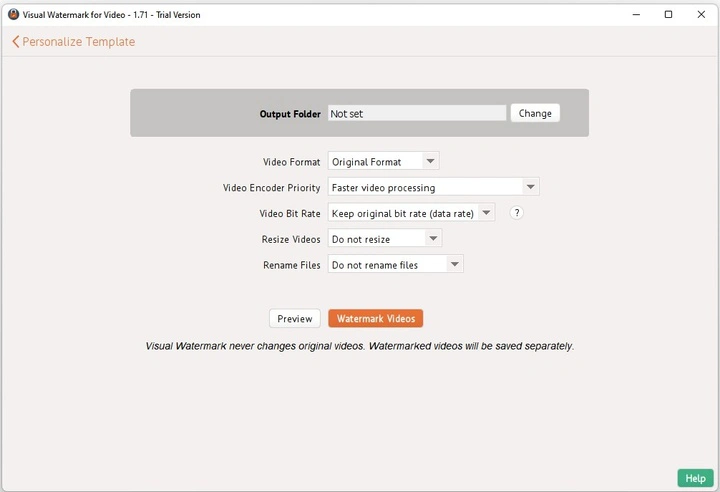
Pasul #5. Set Export settings and download watermarked videos. To get a quality video with a watermark, take the time to choose the Export settings.
Specificați folderul de ieșire. This way, you will know exactly where the file will be saved. If you select the same folder as the original video, the program will warn you.
Bifați căsuța de lângă „Resize watermark automatically”. This is necessary if you want it to adapt itself to files of different formats.
Selectați formatul video. You can specify the original format or choose from the suggested options.
Specificați prioritatea codificatorului video. We have two options: better picture quality or faster processing. The choice depends on your needs.
Redimensionare (dacă este necesar). Click on the arrow next to the item, and you will see all the available options.
Redenumiți fișierele pentru a nu le confunda cu originalele. Here you can also set the numbering for each video.
Faceți clic pe „Apply watermark”. Așteptați în timp ce programul procesează videoclipul.
Once watermarking is done, you can go to the list of saved files. Here you will see the “Save watermark template” button. Click on it to save your watermark as a file. You can reuse it, so you don't have to recreate it.
When you install Visual Watermark for Videos, you automatically start with the trial version. After processing, a string of text will appear on your video saying that you added a watermark using our program. Buy the full version to remove this limitation.
Aplicația Video Watermark poate fi utilizată în scopuri diferite:
Protejați-vă munca de încălcarea drepturilor de autor.
One of the main difficulties that video content creators often face is theft. This makes it difficult to achieve business goals. A modern Internet user can even bypass automated formats that restrict access to content. “Pirates” find ways to illegally store content and distribute it under their name.
Iată ce obțineți dacă adăugați un filigran videoclipurilor dumneavoastră:
Puteți proteja conținutul video pe care l-ați publicat online.
Informați spectatorii despre autor și proprietatea acestuia.
Salvați componenta vizuală a conținutului.
A watermark is an inlined element that shows who the content belongs to. If someone decides to steal it from you, your company name, logo, or other information will still be on the video. You can also add watermark to PDF files and photos.
Vorbiți despre compania dumneavoastră / faceți-vă numele recunoscut.
Videographers and other professionals often add their logo or brand name to make themselves known. This is a popular way to promote a brand that does not require significant financial investments.
You can also add your site's URL, hashtag, branding, contacts, or other information. The main goal will remain unchanged - subtle branding and promotion. With a simple watermark, you will become more visible and competitive in your field.
The logo or other information can emphasize the company's professionalism. This approach will appeal to partners and customers. If you work in real estate and make videos, add a watermark. When the video gets to your potential clients, they will know where to go.
Am răspuns la câteva întrebări frecvente despre crearea și aplicarea filigranelor pe videoclipuri.
1. Ce este un filigran pe un videoclip?
A watermark is any symbol, logo, or text placed over a video. You can use a watermark to protect against copyright infringement, inform viewers,and establish your ownership. Watermarks are often made transparent not to distract the viewers’ attention.
2. Cum se adaugă un filigran la un videoclip gratuit?
Install our free video watermark app on your computer. We have a detailed installation guide. The trial version is available to absolutely everyone. You do not need to pay anything or sign up for a temporary subscription. Just download the program, install it, and upload your videos. The trial version has no limits on editing tools. You can enjoy all the features of Visual Watermark for Videos.
3. Ar trebui să pun filigran pe videoclipurile mele?
Watermarks perform two important tasks: identifying the author and protecting video content from theft. If you don't want your work to fall into the hands of scammers, add a watermark. The final decision is always up to you.
4. Unde ar trebui să stea logoul într-un videoclip?
When you add a watermark to a video, keep an essential thing in mind - you can’t let someone else get rid of your logo/text and place their own. Otherwise, your efforts will be useless. Place your logo in a place where no one can cut it off. Don't make the logo too small. In this case, it may simply not be noticed. We have described all the nuances related to the correct placement of the watermark in the video in this article.
You need to open the program on your computer. Upload one or more videos (in our application, you can work with dozens of files at the same time). Create your unique watermark. It can be your logo, text, or symbol from our gallery. Set the Export settings (thanks to our straightforward interface, you won’t feel confused or lost). Save the processed video to your computer. Working with Visual Watermark for Videos is very easy!
6. Cum se creează un filigran cu logo în videoclip?
If your logo file is in PNG format, it already has a transparent background. Just upload this file to our program and place it in the right place. If the logo file is in jpg format and the image doesn't have a transparent background, don't worry. Our application has a feature that allows you to remove a different background with one click.
 Visual Watermark
 Watermark Online
 Decupează imagini online
 Comprimă fotografii
 Redimensionare imagini online
 Adaugă text pe fotografie
 Adaugă logo pe fotografie
 Conversie în JPG
 Conversie în PNG
 Blurarea unei părți din imagine